Train with the same app you eat with.
Workouts is a strength log and a planner inside Tare. Turn it on and Tare plans each session around your gym, your goal and the muscles that have recovered since last time — and says why. Then it times your rest, logs every set and keeps your records.
Up Next, and why
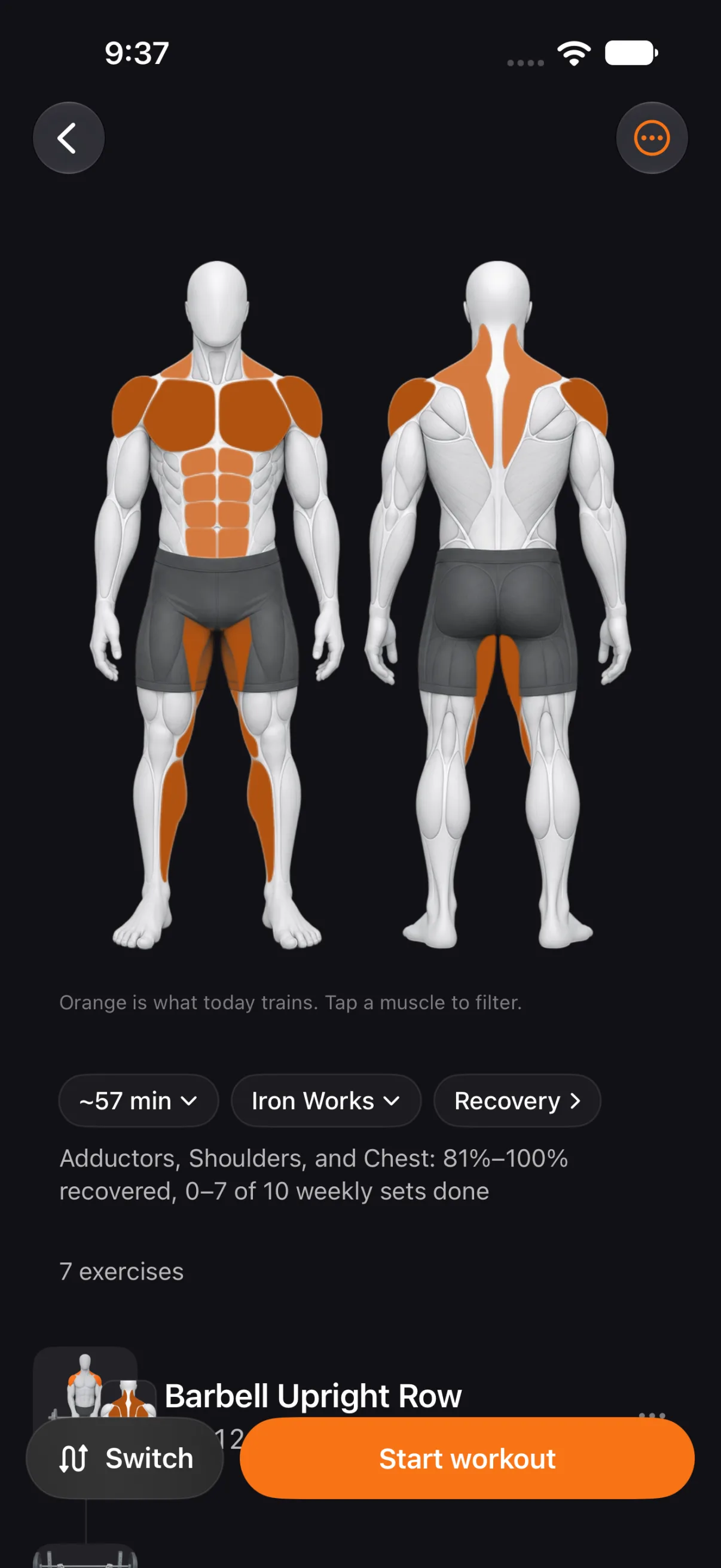
Up Next builds today's session from what you told Tare and what you did: the equipment in your gym, with its barbell, dumbbell and machine increments; your goal; your split; the minutes you have; your experience; and how recovered each muscle is since your last sessions. A line under the plan says why it chose today's focus.
Nothing is fixed until you start. Switch to Fresh muscles, a day of your split or a muscle you pick; replace any exercise; change its sets and warm-ups; hold and drag to reorder. Prefer your own program? Build Saved workouts with target sets, reps and rest for each exercise, and start one in a tap.
- Plans around your gym, goal, split, time, experience and recovery
- Switch, replace, edit sets and reorder before you start
- Saved workouts with target sets, reps and rest per exercise
The session
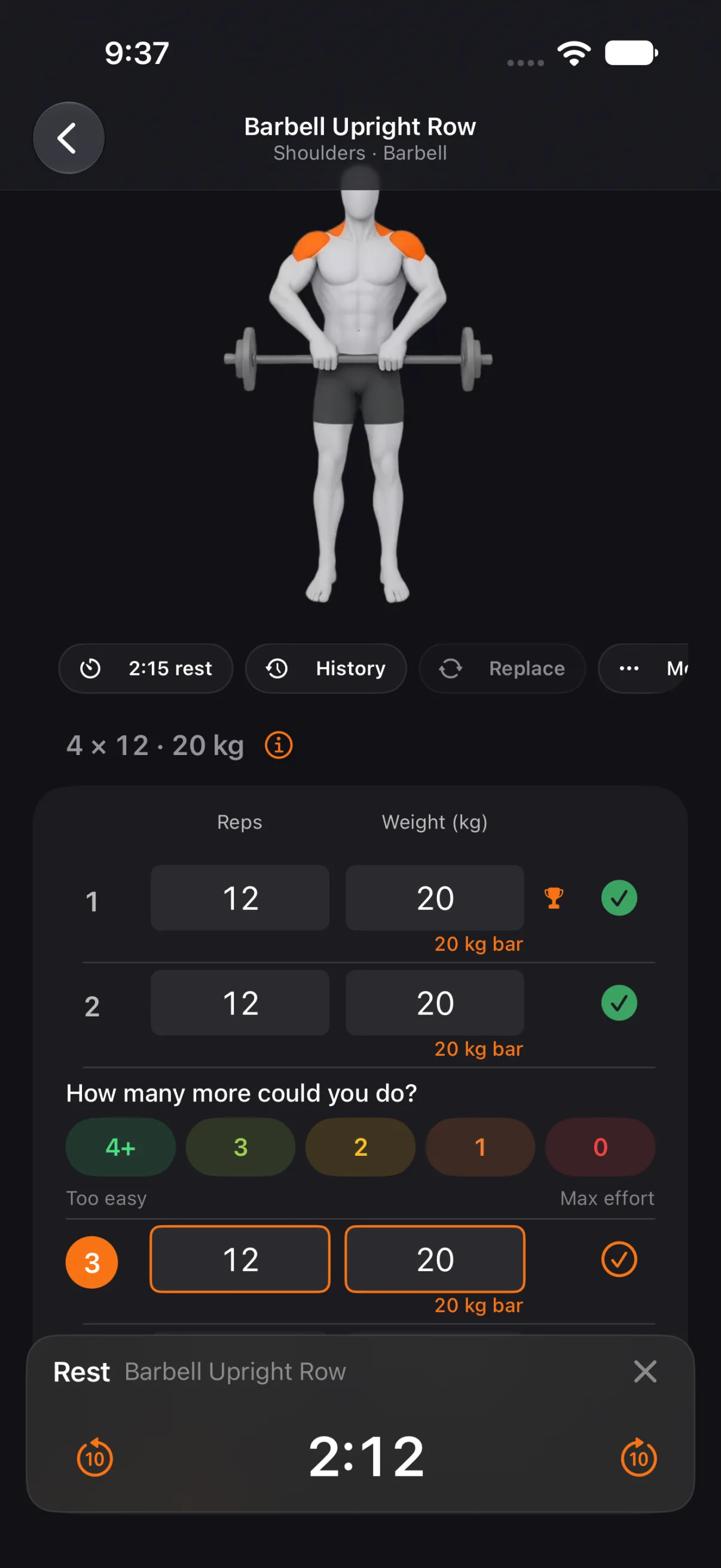
Log sets, reps and weight, with warm-up sets where you want them. The weight you type carries to the sets after it, each exercise keeps its own rest, a plates sheet shows what to load on the bar, and you can rate the reps you had left on a working set. The screen stays awake while a workout runs.
The rest timer lives on the Lock Screen and in the Dynamic Island, with Log set and Skip rest right there, so your phone can stay in your pocket. When the rest ends, a chime plays — heard even on silent, with your music dipping under it rather than stopping.
- Warm-up sets, carry-forward weight and rest per exercise
- Plates sheet and reps-in-reserve rating
- Lock Screen and Dynamic Island with Log set and Skip rest
Apple Watch
While a workout runs, Tare on Apple Watch opens a Workout page: the exercise, set N of M, the target and the rest countdown. Tap Done to log the set from your wrist.
The library and the figure
Over 600 exercises come with how-to animations and instructions. The library is a separate download, made when you want it from Profile → Workouts → Exercise Library; Up Next, the log and History work without it.
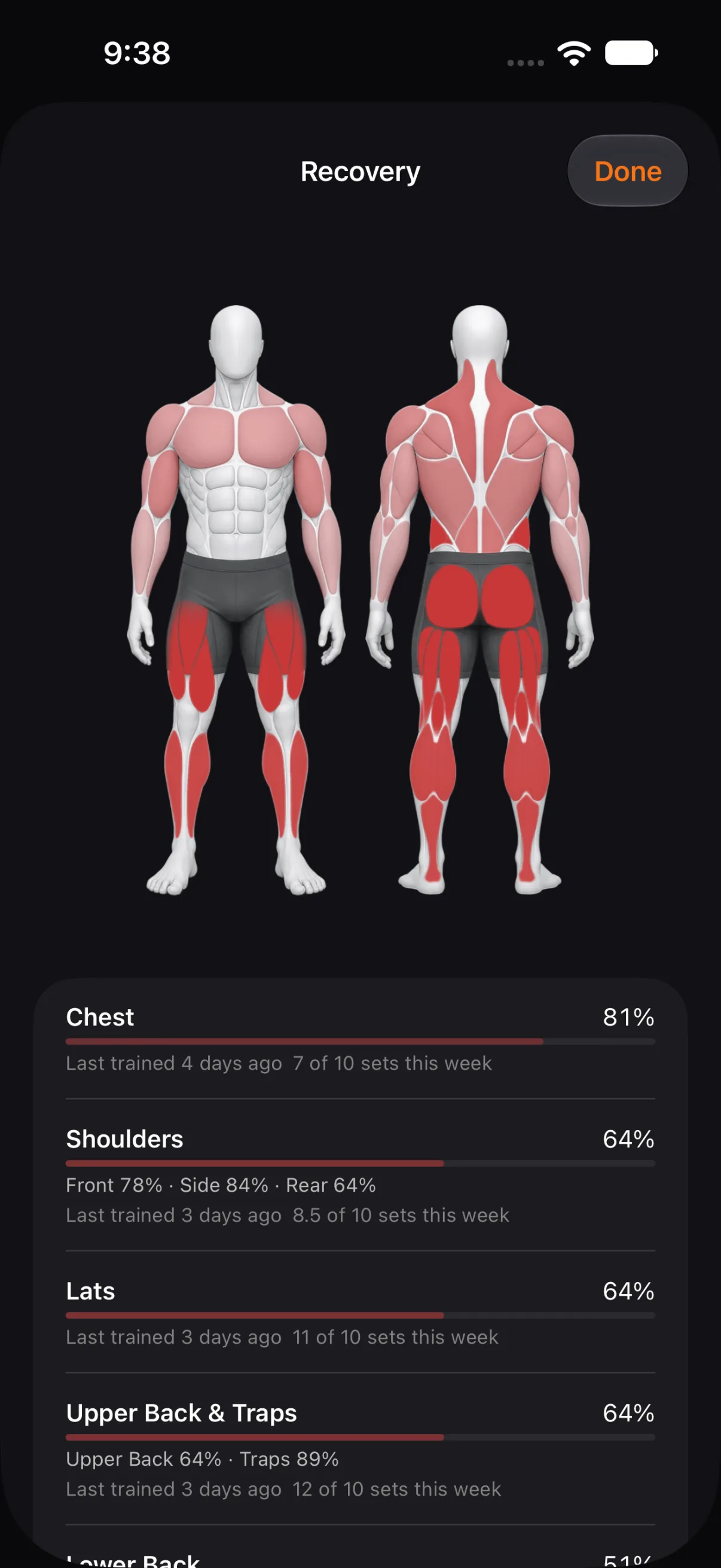
A muscle figure — male or female, your choice — shows which muscles a workout works, as a heat map, and how recovered each one is.
Exercise data by RepDB (repdb.co)
History and records
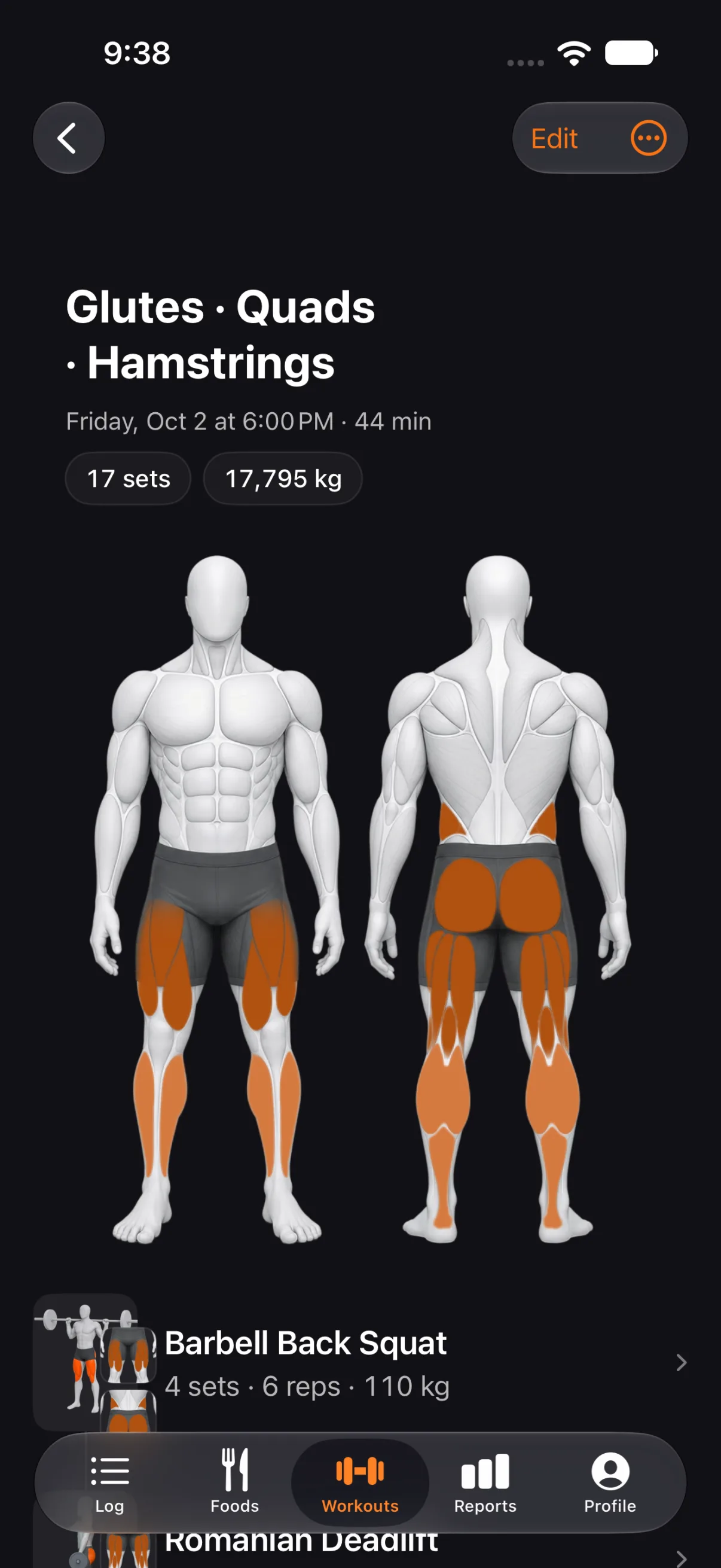
Every workout keeps its sets, and you can edit them later. Each exercise tracks your best weight, best reps and estimated one-rep max, and the figure of a finished workout paints every muscle its sets worked.
Fitbod and Apple Health
Coming from Fitbod? Import the CSV file Fitbod exports and your past workouts land in History. Finished workouts are written to Apple Health, and workouts recorded on Apple Watch appear in History with their heart rate and energy.
Exercise credit is off by default. With it on, a workout's calories count toward your day.
Requirements and beta
Workouts needs iOS 26.4; the rest of Tare runs on iOS 17.4 and later. It stays off until you turn it on in Profile → Workouts, and then a Workouts tab appears.
Workouts is in beta: it works, and we are iterating in point releases. Your workouts sync through iCloud like the rest of Tare. They are not in the data export yet.
Questions
Does it replace Fitbod?
It covers the same ground: a planned session, a set log, a rest timer, history and records. You can import your Fitbod history and keep going in Tare. It is in beta, so expect it to keep improving in point releases.
Do I need the exercise library download?
No. Up Next, the log, the rest timer and History all work without it. The download adds how-to animations, instructions and the muscle figure.
Does it work without an Apple Watch?
Yes. The rest timer runs on the Lock Screen and in the Dynamic Island, with Log set and Skip rest. The Watch adds a Workout page with Done.
Where are my workouts stored?
On your devices and in your own iCloud, like the rest of Tare — there is no Tare server. Finished workouts are also written to Apple Health. Workouts are not in the data export yet.
Does a workout change my calorie goal?
Only if you want it to. Exercise credit is off by default; with it on, a workout's calories count toward your day.
Can I train on my own routine instead of Up Next?
Yes. Build Saved workouts with target sets, reps and rest for each exercise, and start one in a tap. Up Next is there when you want it.
Try Workouts
Workouts is in beta and needs iOS 26.4. It stays off until you turn it on in Profile → Workouts.