Vitamins, minerals, and the supplements you actually take.
Most trackers stop at calories and macros. The ones that go further make you choose between tracking food and tracking supplements, as though your body knew the difference. Tare treats them as one system — and gives you the tools to fix the data when it's wrong.
The problem with micronutrient tracking
Two things break it in practice. The first is data quality: barcode databases are crowd-sourced, and a scanned product is often missing its micronutrients entirely or carrying numbers somebody typed in wrong. The second is supplements. For a lot of people they are the single largest source of several vitamins and minerals, and most apps either ignore them or park them in a checklist that never touches your nutrition totals.
Track diligently under those conditions and you still end up with a number you can't trust. Tare closes both gaps, and then does something with the result.
How it fits together
- 1
Scan it
Scan a barcode and Tare checks your own foods first, then Open Food Facts, then the USDA Branded database. Nutrition labels can be scanned with the camera instead when a product has no barcode.
- 2
Fix it when it's wrong
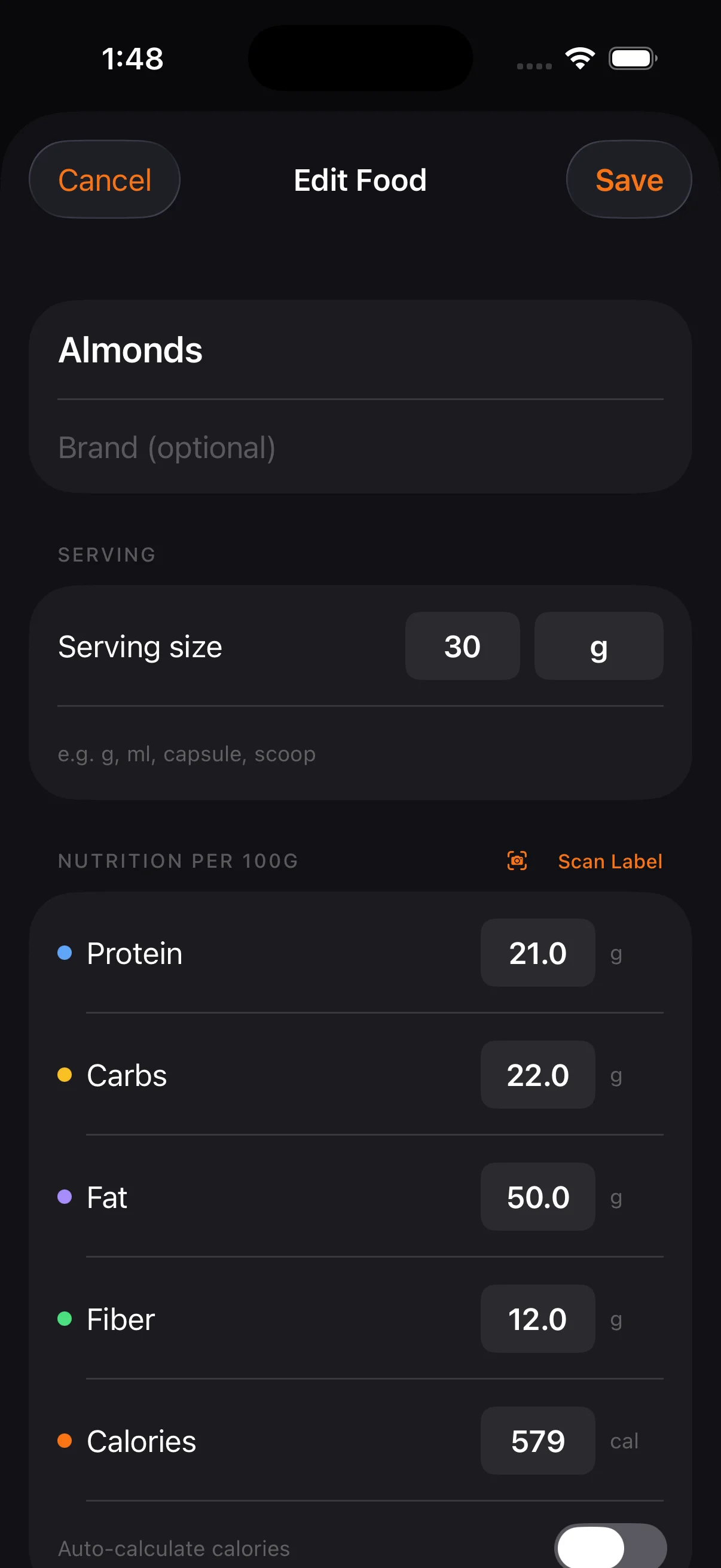
Public food databases are crowd-sourced and frequently wrong. If an entry's inaccurate — or the barcode returns nothing — create your own food with that barcode attached. Because your foods are checked first, your corrected version wins every future scan. Permanently, and only for you.
- 3
Count supplements as nutrition
Link a supplement to a food item and its vitamins and minerals count toward your daily totals like anything else you eat. Supplements can be scanned by barcode too, and the same create-your-own flow applies — food databases cover supplements poorly, so this is the common case rather than the edge case.
- 4
Get reminded by timing, not by item
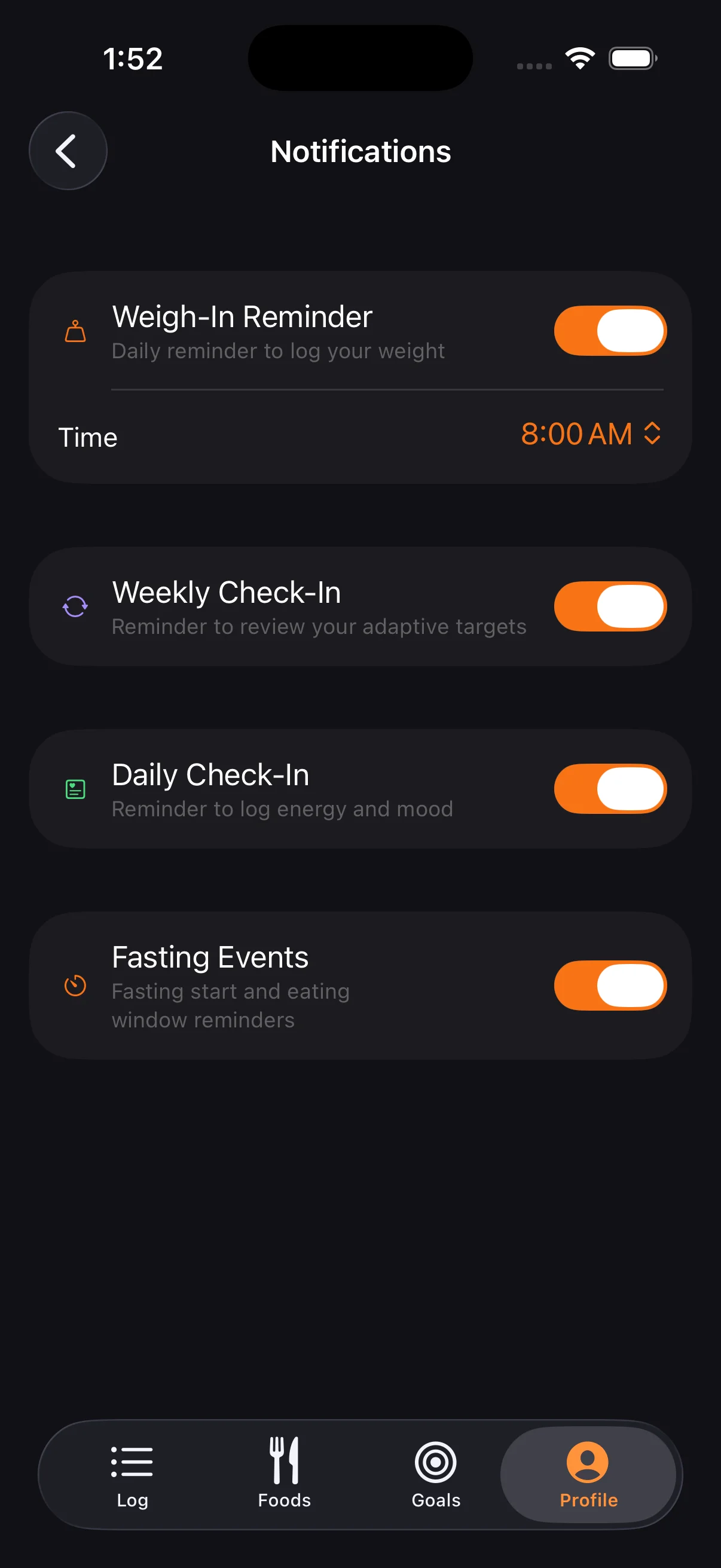
Group supplements into timings you define — morning, with dinner, before bed — each with its own color, icon, and reminder. One notification per group, not one per bottle, and the notification names exactly what to take so you don't have to open the app.
- 5
See the gaps, and what caused them
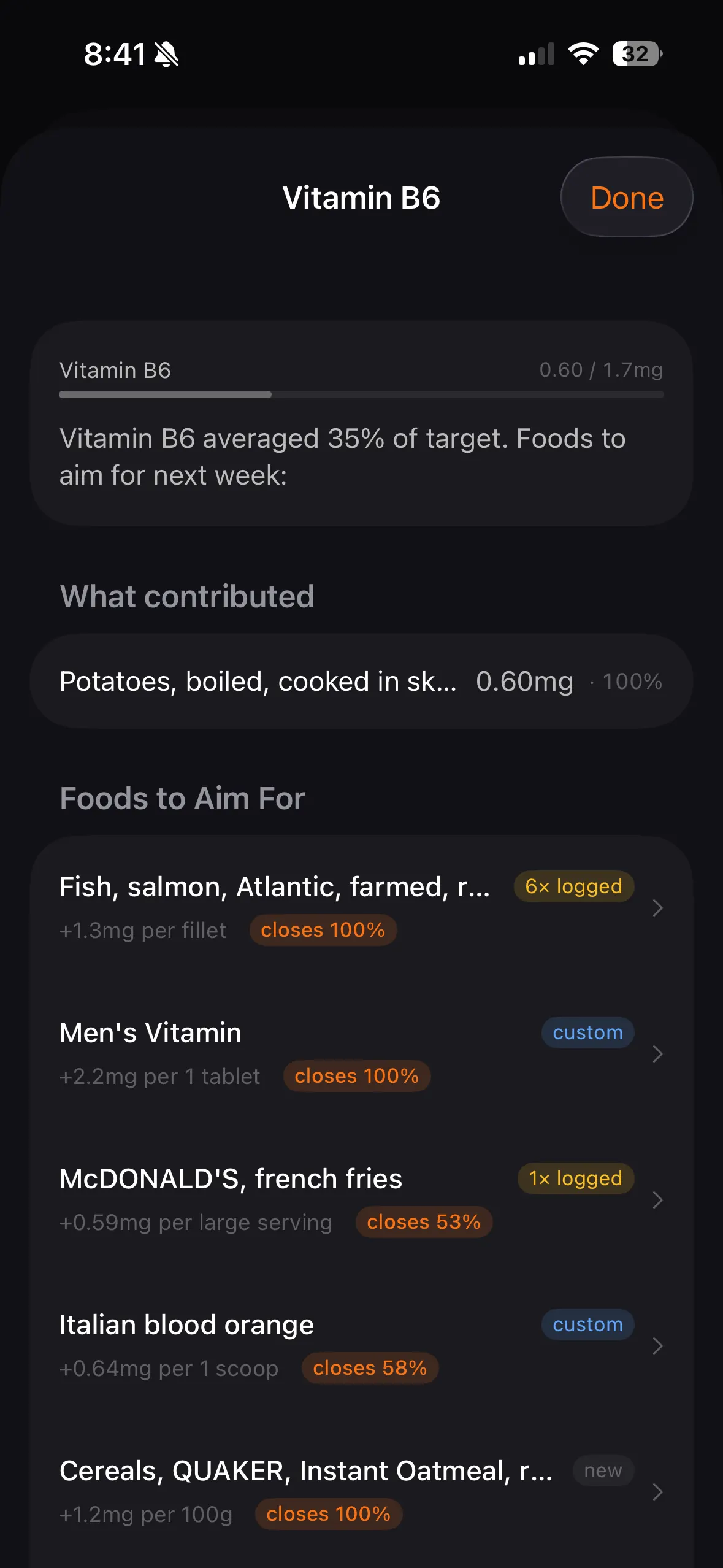
Tare compares what you actually logged against your targets and surfaces the shortfalls, worst first. Open one and it shows which foods contributed and how much each provided — so you can see whether a gap is a missing habit or one item doing all the work. Nutrients you've been low on for weeks running are flagged separately from a single bad day.
- 6
Get suggestions from your own food
Short on B6? Tare ranks foods that would close the gap — drawn from your recipes, your saved meals, your custom foods, and things you log often — and shows how much of the gap each one closes. Every suggestion carries a badge saying why it was picked: your own custom food, something you've logged six times before, or a dense option you haven't tried. The advice is auditable rather than a black box.
Each step feeds the next. Correcting a food improves your totals; your totals determine your gaps; your gaps drive what Tare suggests. Fix one bad entry and everything downstream gets better.
Timing that reflects how absorption works
Some nutrients compete and others help each other — calcium interferes with iron, vitamin C helps you absorb it, and the fat-soluble vitamins need a meal with some fat in it. Tare surfaces these as absorption notes on the nutrients they apply to, marked as either helping or hindering.
Timing groups are what let you act on that. If iron and calcium shouldn't travel together, put them in different groups and let the reminders keep them apart. The advice and the mechanism to follow it live in the same app.
What Tare tracks
22 vitamins and minerals, measured against FDA Daily Values by default. Every target can be overridden with your own number.
Vitamins
- Vitamin A
- Vitamin C
- Vitamin D
- Vitamin E
- Vitamin K
- Thiamin (B1)
- Riboflavin (B2)
- Niacin (B3)
- Vitamin B6
- Folate (B9)
- Vitamin B12
- Choline
Minerals
- Calcium
- Iron
- Magnesium
- Phosphorus
- Potassium
- Zinc
- Selenium
- Copper
- Manganese
- Sodium
Cholesterol and the saturated, trans, mono, and polyunsaturated fat breakdowns are tracked alongside these, but are reported rather than treated as gaps to close.
What this is not
Tare is a tracking tool, not a source of medical or dietary advice. Suggestions and absorption notes are informational, and they work from FDA Daily Values — population reference figures, not a protocol built for you. If you're managing a deficiency or a clinical condition, that belongs with a professional who can order actual bloodwork.
It's also worth being straight about the ceiling on accuracy: micronutrient data is patchy across every public food database, and no app can invent numbers a lab never measured. What Tare can do is stop bad data from being permanent, and make the supplements you take count toward the total. See the documentation for the full detail.
Track the whole picture
One purchase, no account, no subscription. Your data stays on your device.